
TL;DR:
- AI tools for game studios have rapidly expanded, with coding, asset creation, testing, and localization offering significant efficiency gains. To choose effectively, studios should prioritize engine compatibility, ease of integration, and actual impact on workflow bottlenecks, starting with dev-time tools before advancing to live ops and narrative AI. Successful AI adoption hinges on fitting tools into current processes, emphasizing quality, human oversight, and strategic use rather than chasing the most advanced capabilities.
The AI tools market targeting game studios has exploded, and choosing wrong costs you time, money, and developer goodwill. 95% of game studios now use AI in core workflows, yet most teams still struggle to match the right tools to their actual pipeline needs. This guide cuts through the noise. You'll get a clear framework for evaluating your options, then a curated breakdown of the best ai tools for game studios by category, covering coding, asset creation, QA, live ops, and localization. No padding. Just what you need to make a sharper decision.
Table of Contents
- Key takeaways
- AI tools for game studios: how to evaluate before you buy
- 1. AI coding assistants that actually boost throughput
- 2. Asset creation and animation automation tools
- 3. AI-powered testing, QA, and gameplay simulation
- 4. Live ops, player engagement, and localization
- My honest take on AI adoption in game studios
- How Proudlionstudios helps studios build smarter with AI
- FAQ
Key takeaways
| Point | Details |
|---|---|
| Start with dev-time tools | Coding assistants and asset generators deliver immediate ROI with far less operational risk than live ops AI. |
| Match tools to your engine | Engine-specific AI tools reduce hallucinated errors that generic assistants frequently produce in unfamiliar codebases. |
| Zero-integration QA tools exist | AI QA tools like Razer's QA Companion require no pipeline changes and reduce manual testing workload significantly. |
| Localization is a quick win | AI-assisted translation cuts first-pass costs by 70 to 90% compared to traditional language service providers. |
| Test free tiers before committing | Many best-in-class tools offer meaningful free tiers. Use them to validate fit before any enterprise contract. |
AI tools for game studios: how to evaluate before you buy
Before you install anything, you need a decision framework. The market is full of tools that look impressive in demos and fall apart inside a real production pipeline.
Here are the criteria that actually matter:
- Engine compatibility. Does the tool integrate natively with Unity, Unreal, or Godot? Generic tools often produce plausible-looking code that contains engine-specific errors. That creates more debugging work, not less.
- Development speed vs. creative control. Some tools generate assets or code that are 80% usable but require heavy polish. Know your team's capacity to finish what AI starts.
- Cost vs. measurable output. AI game development tools range from free tiers to $500 per seat per month. Map every tool to a specific productivity gain before committing. Ask: what does one hour saved per developer per week actually worth to your studio?
- Specialization. A tool built for code review is not the same as one built for NPC dialogue or economy simulation. Generalist AI often underperforms specialist tools in complex domains.
- Usability and onboarding. If a tool takes two weeks to integrate and two more weeks to train your team on, factor that into your ROI calculation honestly.
- Human oversight requirements. How AI enhances game development matters less than how much human review your team needs to apply afterward. The best tools reduce that burden. The worst tools shift it.
Pro Tip: Before evaluating any paid AI tool, map your team's current bottlenecks first. The tools that solve your actual constraints, not just interesting capabilities, are the ones that will earn their place in your pipeline.
1. AI coding assistants that actually boost throughput
This is the safest and highest-impact category for most studios right now. AI coding agents deliver 30 to 60% throughput gains in backend and tools development with relatively low risk. That is a compounding advantage over a 12-month shipping cycle.
The leading options in this space include:
- GitHub Copilot. Deeply integrated into VS Code and JetBrains environments. Strong for boilerplate generation, unit test scaffolding, and API integration. Works well for Unity C# and Unreal C++ but can hallucinate engine-specific syntax if not carefully reviewed.
- Cursor. A full IDE built around AI-assisted coding. Its diff-based code editing feels more natural for iterative game feature development than pure autocompletion tools.
- Claude Code. Strong at reasoning through complex logic, explaining legacy code, and writing well-structured backend systems. Useful for studios with messy inherited codebases.
- Surmado. A Godot-focused AI pull request reviewer that catches engine-specific errors that generic tools miss entirely. It offers 10 free PR reviews per month, which makes it a genuine option for indie studios. Godot has specific API patterns that confuse most general-purpose AI, so a purpose-built reviewer has a concrete advantage here.
You can read more about how AI transforms software development across different studio sizes and project types.
Pro Tip: Use AI coding tools for code review and refactoring first, not net-new feature generation. Review tasks have a much clearer success signal, so your team builds trust in the tool before relying on it for critical production code.
2. Asset creation and animation automation tools
Visual content production is one of the most resource-intensive parts of game development. AI is starting to address this in ways that matter at scale. AI-assisted level design tools can reduce scene-building time from 17 minutes to under 20 seconds, which represents a 50x speedup for environment-heavy projects.
| Tool | Best for | Integration | Cost tier |
|---|---|---|---|
| PixelLab | 2D sprite generation and animation | Standalone + export | Free to paid |
| Cascadeur | Physics-based animation rigging | Unity, Unreal | Free + Pro plans |
| Sprite-AI | Rapid sprite iteration and variation | API-based | Pay-per-use |
| Autodesk Flow Studio | 3D asset modeling and motion capture automation | Maya, 3ds Max | Enterprise |
The practical reality is that most of these tools shine at prototyping and first-pass production. They reduce the time from concept to testable asset dramatically. But polishing AI-generated art to AAA quality still requires experienced artists, particularly for character work where subtle anatomy errors are immediately noticeable to players.
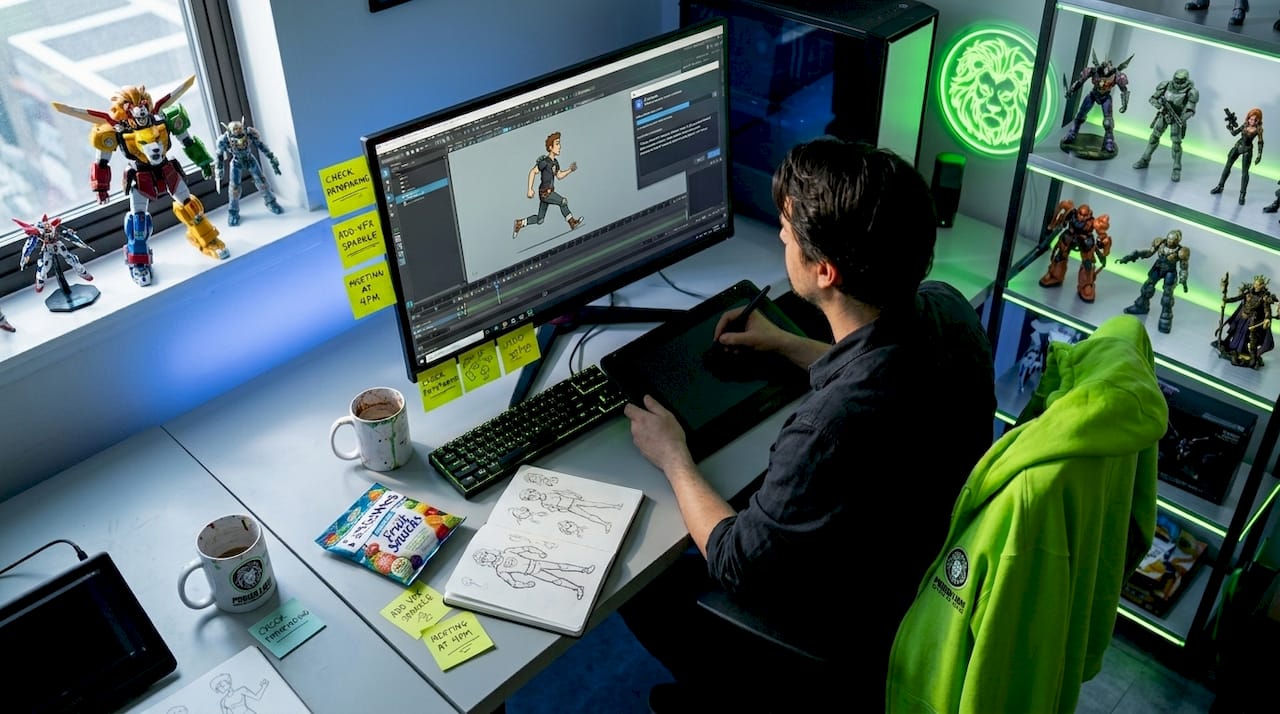
Studios building Roblox environments or mobile games with high content volume get the clearest wins here. The math is simple: if one AI tool lets a single artist produce what used to require three, that directly changes your hiring projections.
3. AI-powered testing, QA, and gameplay simulation
QA is chronically underfunded in most studios, and it is one of the areas where AI delivers the clearest, most measurable return. The category has matured significantly in the past two years.
Key tools worth evaluating:
- Razer QA Companion. This tool analyzes gameplay footage to detect bugs and auto-generates detailed reports. The standout feature is zero-integration deployment. You do not need to modify your existing pipeline. You feed it video and it returns structured bug reports. For studios already stretched thin, that frictionless entry point is significant.
- Unity ML-Agents. Allows you to train AI agents to playtest your game autonomously. Particularly useful for balance testing in games with complex economy or combat systems. The learning curve is steeper than plug-and-play tools, but the depth of behavioral simulation is unmatched for Unity projects.
- Chaos Dynamics. An economy simulation tool that models player behavior under different game design assumptions. Useful for live service games where balance changes have second-order effects on engagement and monetization.
The most effective QA tools share one trait: zero-integration deployment. When a tool drops into your existing workflow without disruption, adoption happens organically rather than becoming a project in itself.
The risk to manage in this category is over-reliance. AI QA tools catch pattern-based bugs reliably but often miss contextual or narrative-consistency issues that a human tester would catch immediately. Use AI for volume coverage and human testers for edge case validation.
4. Live ops, player engagement, and localization
This is the most complex category, with the highest potential upside and the most operational risk. Proceed deliberately.
NPC and dialogue AI
AI-powered NPCs from Inworld and Convai use large language models to give characters persistent personalities, memory, and contextually appropriate responses. This is a genuine shift in how player-world interaction can work, moving from scripted dialogue trees to characters that evolve based on player history.
The trade-off is infrastructure complexity and content moderation requirements. LLM-driven NPCs can say unexpected things. You need robust content filtering and rollback plans before shipping this in a live environment.
| Platform | Primary use | Pricing model | Key strength |
|---|---|---|---|
| Inworld | NPC personalities and memory | API-based, usage pricing | Deep character persistence |
| Convai | Real-time NPC voice and dialogue | Subscription + API | Low-latency voice integration |
Live ops orchestration
AI-driven live ops tools can predict churn before it happens, trigger personalized offers at the right moment, and automate content scheduling based on player behavior clusters. For live service games, this is quickly becoming a baseline expectation rather than a premium feature.
Localization at scale
AI translation tools cut first-pass localization costs by 70 to 90% compared to traditional language service providers. The practical workflow most studios now use is AI for first-pass translation across all strings, followed by linguist review for key narrative and UI content. This makes simultaneous global launches achievable without a translation budget that scales linearly with your language count.
Pro Tip: Do not launch AI-driven NPC dialogue in a live environment without a human review layer and content filtering in place. The player experience upside is real, but so is the risk of off-brand or harmful outputs reaching your players.
My honest take on AI adoption in game studios
I've watched studios adopt AI tools the wrong way more often than the right way. The pattern is usually the same: a manager sees a compelling demo, buys an enterprise tool for the most complex use case in the studio, and then watches it sit underused because the team wasn't involved in the decision and the integration was messier than advertised.
What I've found actually works is the opposite approach. Start with dev-time automation. Coding assistants and asset generation tools deliver compounding benefits without meaningful operational risk. Practitioners consistently recommend prioritizing these low-risk, high-ROI tools before moving into live ops AI, which introduces real complexity that requires careful management.
I'm also skeptical of studios that treat AI-generated assets as finished output. The tools are genuinely useful for speeding up the first 70% of production. But players notice the difference between AI-generated art that shipped without polish and work that went through an experienced artist's hands. Your visual bar is part of your studio identity.
The studios I've seen get this right treat AI as a way to give their best people more capacity, not as a way to reduce headcount. That framing changes which tools you buy and how you deploy them. An AI agent strategy built around your team's actual workflows delivers far more than a generic tool layered on top of a broken process.
My overall take: the best tools in every category right now are the ones that fit where your team already works and make the hard parts faster. That's a much more useful criterion than "most advanced AI."
— Amal
How Proudlionstudios helps studios build smarter with AI
If this article has clarified which categories of AI tooling you need, the next step is figuring out how to integrate them at a professional level without disrupting your current production timeline.

Proudlionstudios builds AAA multiplayer games and mobile titles using AI-enhanced workflows across art, animation, and backend development. The team also develops custom AI agents tailored to specific studio needs, from backend automation to live ops support. If your studio needs game art and animation services that already incorporate AI-powered production pipelines, or you want a technical partner who can build the AI toolchain rather than just recommend one, Proudlionstudios is worth a conversation. Their UAE-based team works with studios across multiple countries and focuses on outcomes over templates.
FAQ
What are the best AI tools for game studios in 2026?
The strongest tools by category are GitHub Copilot and Cursor for coding, Cascadeur for animation, Razer QA Companion for testing, and Inworld for NPC dialogue. The best choice depends on your engine, team size, and primary bottleneck.
How much do AI game development tools cost?
Costs range from free tiers (Surmado offers 10 free PR reviews per month) to enterprise contracts in the hundreds of dollars per seat. Most studios see the strongest ROI from mid-tier coding assistants before investing in complex live ops platforms.
Do AI tools work with Unity and Unreal Engine?
Most major AI coding tools support Unity and Unreal through IDE plugins or API integrations. Engine-specific tools like Surmado for Godot are worth prioritizing because they reduce the hallucinated API errors that generic assistants commonly produce.
Can AI replace QA testers in a game studio?
No. AI QA tools like Razer QA Companion handle pattern-based bug detection at scale, but human testers remain necessary for contextual, narrative, and edge case validation that AI consistently misses.
How does AI help with game localization?
AI-assisted translation reduces first-pass localization costs by 70 to 90% compared to traditional providers. Most studios combine AI for high-volume string translation with human linguist review for narrative and UI copy.