

AI in CRM automation cleans and prioritizes customer data, scores leads in real time, and predicts pipeline risk so reps spend more time selling and less time updating records. The realistic outcomes are hours reclaimed per rep each week, higher-quality pipeline, and forecasts that miss less often. The first move for any leader is not picking a vendor. It's auditing data readiness and picking one measurable workflow to pilot.
TL;DR:
- Lead qualification and routing provide rapid measurable benefits, with response time and conversion rate improvements often visible within the first pilot cycle.
- AI features such as automated data capture and activity logging rely heavily on clean data hygiene and complete integration to ensure reliable outcomes.
- Proper vendor evaluation should prioritize integration depth, transparency, governance, and security controls, especially regarding data privacy and model explainability.
- Running a focused, pilot project on one workflow, like lead scoring or automated follow-up, is far more effective than attempting full-scale AI deployment prematurely.
- Data preparation, including deduplication and baseline metrics measurement, is crucial before launching AI features to avoid noise and mistrust in the results.
Table of Contents
- How Does AI Enhance CRM With Core Automation Features?
- Which AI Automation Use Cases Deliver the Fastest ROI?
- What Should Decision-Makers Check Before Buying AI CRM Tools?
- How Do You Prepare CRM Data Before Automating It With AI?
- What's the Rollout Roadmap From Pilot to Full Scale?
- What Are the Security and Privacy Risks in AI-Powered CRM?
- What Does a Real AI-CRM Pilot Look Like in Practice?
- Ready to Pilot AI in Your CRM?
- Sources
- FAQ
How Does AI Enhance CRM With Core Automation Features?
Every AI feature inside a modern CRM maps to a business outcome a CFO would actually care about. The trick is matching the feature to the metric before you buy anything.
Auto-logging and activity capture eliminates the biggest complaint reps have about CRM software: manual data entry. AI models listen to calls, read emails, and log activity automatically, which raises data completeness and cuts the admin drag that makes reps avoid the CRM in the first place. IBM's research on AI in CRM points to automated data cleaning and enrichment as one of the clearest near-term wins, since better inputs make every downstream model more reliable.
AI lead scoring changes how pipelines get worked. Instead of a rep guessing which of 200 leads to call first, a model weighs firmographic data, engagement signals, and historical conversion patterns to surface the leads worth calling now.
Beyond lead scoring, AI-powered CRM solutions typically deliver:
- Predictive forecasting and pipeline risk detection, flagging deals likely to slip before a manager finds out in a Friday pipeline review.
- Generative content drafting, producing first-pass emails, follow-up templates, and proposal language that reps edit rather than write from scratch.
- Conversation and meeting summaries, turning a 40-minute call into searchable notes with action items already tagged to the right contact.
- Intelligent routing and automated enrichment, matching a ticket or lead to the right owner and filling in missing fields from external data sources.
- 24/7 automated support triage, using chatbots to handle first-response duties before a human ever sees the ticket.
None of this works in isolation. A systematic framework for AI-CRM integration found that the strongest results come from combining these features with centralized data and consistent retraining, not from deploying any single tool as a standalone fix.
Which AI Automation Use Cases Deliver the Fastest ROI?
Not every AI feature deserves a pilot slot. Some use cases produce measurable results in weeks; others take months to show anything. Here's how to sequence the ones with the clearest payback.
- Lead qualification and routing. A new lead triggers an AI qualification check, then gets auto-assigned to the rep best suited to close it. Track response time and conversion lift; both should move within the first pilot cycle.
- 24/7 conversational support and ticket triage. A chatbot handles first response and routes anything it can't resolve. Watch resolution time and CSAT scores. Slack's research on embedding AI into everyday workflows shows that intelligence delivered where teams already work, rather than buried in a separate dashboard, gets used far more consistently.
- Automated follow-up and nurture sequences. Behavior-triggered outreach replaces the generic drip campaign. Measure meetings booked and cadence completion rates against your prior manual baseline.
- Churn prediction and retention playbooks. An early-warning model flags accounts showing disengagement signals, then kicks off an automated touchpoint sequence before a human even gets involved. Churn rate reduction is the number that matters here, and it's a slower-moving metric than the others, so give it a full quarter.
- Meeting recaps and auto-filled CRM fields. AI transcribes and summarizes, then writes the output straight into the relevant fields. Admin hours saved per rep is the cleanest KPI on this list because it's directly observable.
Lead scoring tends to produce the fastest visible movement of the five, largely because it acts on data the CRM already has rather than requiring new integrations. Practitioner data on AI lead scoring shows conversion and time-to-contact improvements scale with how clean the underlying data already is, not with how sophisticated the model is. That's worth sitting with before you sign anything: a mediocre model on clean data usually beats a great model on dirty data.
Pro Tip: Pick the use case where you already have a manual baseline number. If nobody knows the current average response time, you'll have no way to prove the pilot worked.
What Should Decision-Makers Check Before Buying AI CRM Tools?
Vendor demos are built to impress, not to answer the questions that determine whether a tool survives contact with your actual data. Run every AI-powered CRM pitch through this checklist before signing anything.
Integration depth. Ask whether the AI is natively embedded in the CRM's workflow or bolted on as a separate module you have to jump into. Native tools that write actions back into the CRM and surface insights inside tools like Slack or email avoid the silo effect that kills adoption, according to reporting on how UAE retailers are deploying AI agents for faster operational decisions.
Data access and model transparency. Find out exactly what customer data the model trains on and whether it can explain why a lead got a particular score. If a vendor can't answer that second question in plain language, treat it as a warning sign, not a technical detail to sort out later.
Governance and ethics-by-design. Data consent handling, bias mitigation, and a defined retraining cadence should be part of the sales conversation, not an afterthought. The same systematic framework research cited earlier lists ethics-by-design and continuous user involvement as recurring predictors of successful AI-CRM integration.
Operational concerns round out the list:
- Model drift monitoring, so nobody discovers six months later that the scoring model has quietly gone stale.
- Clear SLAs and rollback controls if the AI produces bad recommendations at scale.
- A human override option that's actually accessible to reps, not buried in an admin panel.
- ROI signals the vendor is willing to commit to in writing: baseline metrics, a pilot timeline, and an expected lift range.
Pro Tip: Ask every vendor for the name of one customer who churned the tool, and why. Every credible AI vendor has one. The ones who claim they don't are the ones to worry about.
How Do You Prepare CRM Data Before Automating It With AI?
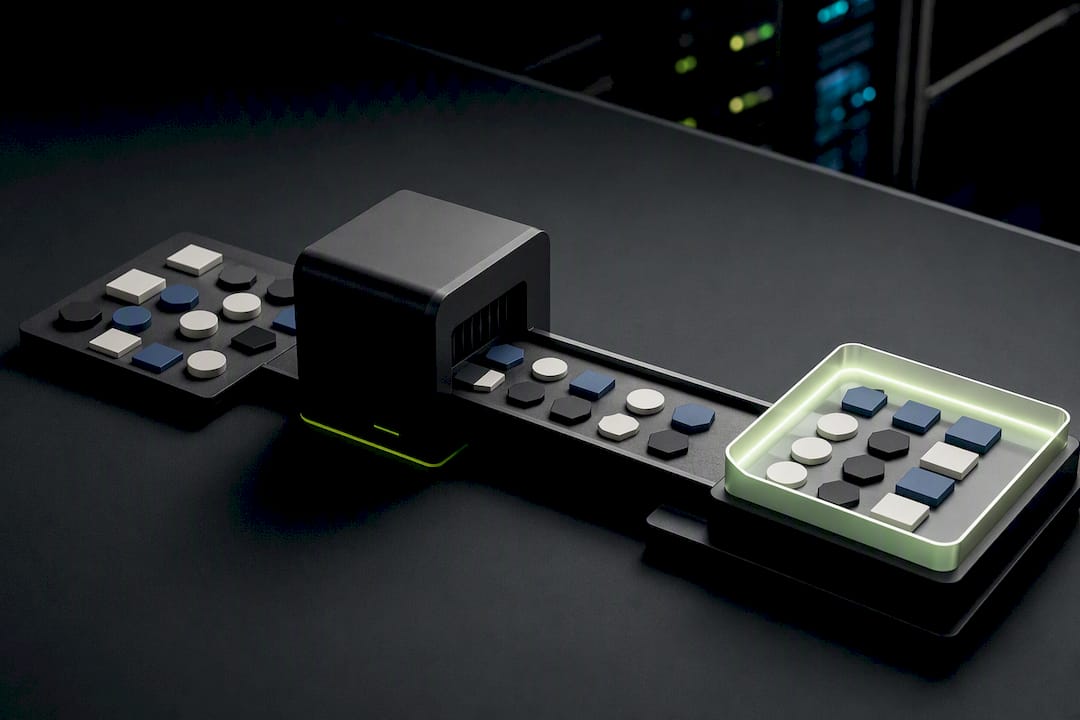
Data readiness determines whether an AI model produces useful output or expensive noise, and this step gets skipped more often than any other in AI-CRM rollouts. Practitioner analysis on why CRM data quality often fails to improve with AI identifies poor data hygiene as the leading cause of unreliable model outputs, ahead of model choice or feature sophistication.
Four things need to happen before a single AI feature goes live:
- Fix data hygiene first. Deduplicate records, assign canonical customer IDs, standardize formats, and connect enrichment sources that fill obvious gaps.
- Map the integration surface. Document every API, webhook, and event stream that needs to talk to the CRM, and decide whether sync runs one-way or bi-directionally.
- Wire telemetry into CRM fields. Website visits, product usage events, and support tickets all need to land in fields the AI model can actually read, not sit in a separate analytics tool.
- Capture your baseline before launch. Record current admin hours per rep, average response time, and forecast error rate so the pilot has something real to compare against.
| Readiness area | What to check | Why it matters |
|---|---|---|
| Data hygiene | Duplicate rate, field completeness | Bad inputs produce unreliable scores and forecasts |
| Integration | API and webhook coverage | Determines whether AI insights reach the tools reps actually use |
| Telemetry mapping | Events landing in correct CRM fields | Gives the model reliable signals to learn from |
| Baseline metrics | Pre-pilot admin hours, response time, forecast error | Only way to measure whether the pilot actually worked |
| Access controls | Logging and audit trails on AI-driven changes | Protects against untraceable errors and builds trust |
Access controls deserve their own line item. Every AI-driven change to a customer record, whether it's an auto-filled field or an automated score, should leave an audit trail. That's not bureaucratic overhead. It's what lets a manager answer the question "why did this account get flagged" without guessing.
What's the Rollout Roadmap From Pilot to Full Scale?
The single biggest reason AI-CRM projects stall is trying to automate everything at once. A staged rollout, backed by research on pilot-first approaches to AI in CRM, consistently outperforms a big-bang deployment.
Phase 1: pick one workflow, define the numbers. Choose a single measurable process, lead scoring or ticket triage usually work best as a first pilot, and agree on the exact KPIs before anyone builds anything: time saved, conversion uplift, or forecast error change.
Phase 2: prepare data, then run a short pilot. Get the data hygiene and integration work done first. Then run a controlled pilot lasting two to twelve weeks with a small group of users, not the whole sales floor.
Phase 3: analyze, retrain, document, scale. Review what actually happened against the baseline, retrain the model with real usage data, write down the governance rules you followed, and only then plan the wider rollout.
Common pitfalls show up in almost every failed rollout:
- Skipping data cleanup because it feels like a delay rather than the actual work.
- Rushing past user training, then blaming the tool when adoption stalls.
- Over-automating with no escape hatch, so a rep can't override a wrong AI decision.
- Ignoring measurement entirely, so nobody can prove the pilot changed anything.
Adoption improves fastest with role-specific training rather than a single all-hands demo, a visible dashboard showing what the AI actually did (not just what it recommended), and scheduled retraining paired with a genuine human-in-the-loop override. Research on operational controls in AI-CRM systems ties exposing the "why" behind a score directly to user trust and long-term adoption.
Pro Tip: Give reps a way to flag when the AI is wrong, then actually review those flags weekly during the pilot. That feedback loop is worth more than any dashboard.
What Are the Security and Privacy Risks in AI-Powered CRM?
AI-powered CRM systems concentrate more sensitive customer data in fewer places, which raises the stakes on every access control decision. A model that scores leads or predicts churn needs broad visibility into contact history, behavioral data, and sometimes call transcripts, which means a security gap here doesn't just expose a record. It exposes the logic behind hundreds of automated decisions.
Three areas deserve direct attention. Access governance should restrict which roles can view raw AI reasoning versus just the output score, since exposing full customer profiles to every rep is rarely necessary. Data residency and retention policies need to specify how long the AI keeps training data and where it's processed, particularly when a vendor's infrastructure sits outside your regulatory jurisdiction. Model auditability, meaning a documented trail of what data influenced a given AI decision, protects the business if a customer disputes how they were scored or contacted.
None of this should slow a pilot to a crawl, but it does mean privacy review belongs in the same conversation as the KPI targets, not a step added after launch. A vendor that can't clearly explain its data retention policy in a sales call is telling you something worth hearing before, not after, you sign.
What Does a Real AI-CRM Pilot Look Like in Practice?
Most AI-CRM advice comes from people who've never run an actual pilot end to end. Proud Lion Studios built its 90 Day AI for CRM Pilot around the opposite premise: prove a measurable outcome inside a single quarter, with a small enough scope that a data problem shows up in week two instead of month six.
The pilot structure follows the same phasing outlined above. Scope gets locked to one workflow, lead scoring or automated follow-up sequences are common starting points, baselines get captured before anything ships, and the team retrains against real usage data before recommending a wider rollout.
This work is run with a fully UAE-based technical team and is supported by recognition from Aptos Foundation grants for broader AI and blockchain engineering work. The studio's CRM and ERP integration practice focuses specifically on connecting AI models to the systems teams already use, rather than shipping a standalone tool nobody opens twice.
— Amal
Ready to Pilot AI in Your CRM?
Reading about AI-CRM automation and actually running a controlled pilot are two very different projects, and most internal teams stall on the second one because integration and data cleanup eat the time they'd budgeted for building anything. This gap can be closed with a fixed-scope pilot designed to prove one measurable workflow—such as lead scoring, ticket routing, or automated follow-up—executed within a single quarter by a UAE-based team handling integration work directly.

The 90 Day AI for CRM Pilot is built around exactly the phased approach this article recommends: pick one workflow, define the baseline, run the pilot, then decide on scale with real numbers in hand. If chatbot support or ticket triage is the priority instead, the AI Chat Base conversational AI solutions page covers that use case directly. For teams weighing broader automation beyond CRM, the AI Agents Development Services team can scope a custom build. The next step is simple: book a discovery call and bring your current response-time or admin-hours baseline, so the pilot has something real to measure against from day one.
FAQ
How Can AI Be Used in CRM?
AI in CRM automates data entry and cleanup, scores and prioritizes leads, predicts pipeline risk, drafts outreach content, summarizes calls and meetings, and routes tickets or leads to the right person automatically. IBM's overview of AI in CRM frames automated data cleaning and enrichment as one of the most immediate, practical benefits available today.
Can AI Create a CRM System?
AI can generate parts of a CRM's logic, like scoring models or automated workflows, but building a full CRM system from scratch with AI alone isn't realistic for most businesses. Most organizations get better results integrating AI features into an existing CRM or commissioning a custom build, which is the kind of work Proud Lion Studios's web application development team handles, starting from 25000 USD one-off for a custom web application with backend, database, and admin panel.
How Is AI Used in Automation More Broadly?
Beyond CRM, AI automation handles ticket routing, document processing, chatbot-driven customer support, and workflow triggers that used to require manual review at every step. In a CRM context specifically, this shows up as auto-logging, meeting summaries, and 24/7 support triage running without a human starting each task.
Which AI Is Best for CRM?
There's no single best AI model for CRM. The right choice depends on data readiness, how deeply the AI integrates into existing workflows, and whether the vendor supports governance features like model transparency and human override. A systematic framework for AI-CRM integration recommends evaluating on ethics-by-design and retraining cadence rather than raw feature count.
What Does the AI-CRM Pilot From Proud Lion Studios Cost?
Pricing for the 90 Day AI for CRM Pilot and related AI Agents Development Services isn't published as a fixed rate, since scope varies by workflow and integration complexity. Current pricing details are available directly on the AI Agents Development Services page.